Value Vinyl, Rainbow Sampler - Permanent (50 ct)
Couldn't load pickup availability
- Delivery time: 5-7 days
- Free shipping on all orders above ₹ 1,000
Description
Description
Customize with confidence! With Cricut Value Vinyl, you can DIY personalized decals, labels, and so much more. The sampler includes 50 sheets with a range of colors to help bring your most vibrant ideas to life. Cricut Value Vinyl is permanent yet removes without residue and dishwasher friendly*. It has a plastic PET backer for a frustration-free mat experience.
Cricut Value Vinyl has been engineered to give you the perfect blend of cost and quality. By selling in bulk sizes and with simple packaging, we pass the savings on to you.
Optimized for Cricut cutting machines with automatic cutting settings in Design Space® for every Cricut material, machine & project.
Features
Features
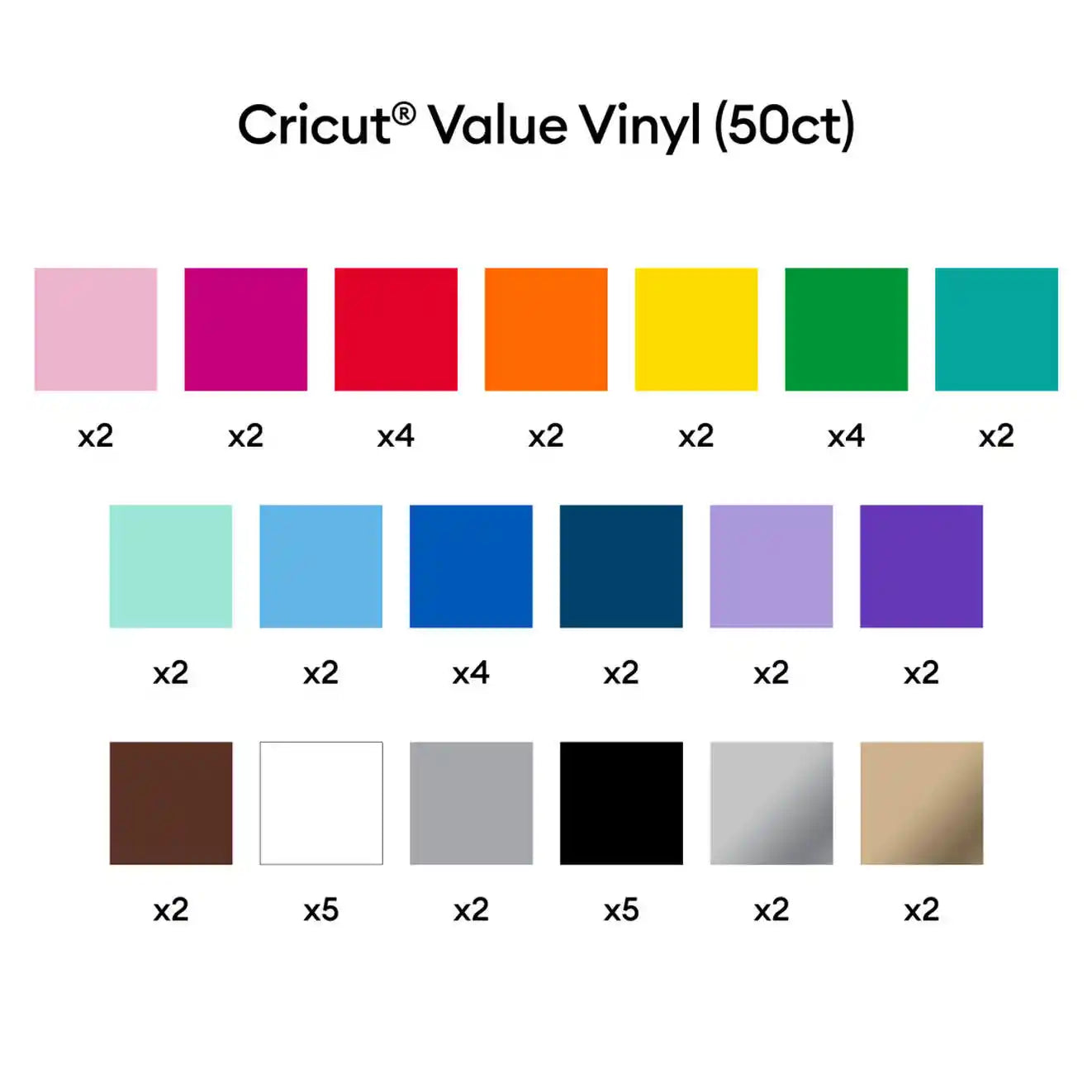
- 50 sheets (19 colors) 12 in x 12 in (30.5 cm x 30.5 cm) in Pink (2), Magenta (2), Red (4), Orange (2), Yellow (2), Green (2), Teal (2), Mint (2), Sky Blue (2), Blue (4), Navy Blue (2), Lilac (2), Purple (2), Brown (2), White (5), Gray (2), Black (5), Silver (2), Gold (2)
- Quality product at an affordable price
- Matte finish
- Dishwasher friendly*
- Easy to weed & apply
- Permanent yet removes without residue
- 100% Vinyl, no Transfer Tape as filler
- Frustration-free PET backer
- No harmful chemicals or additives
- Optimized for Cricut cutting machines
Compatibility
Compatibility
Cricut Explore 3
Cricut Maker 3

Waiting since two months, no response!
I want this set
why am I not able to add this product to my cart?
I want 1 set. Waiting for it
FAQ
Which Cricut machine is right for me?
Cricut offers different machines with varying capabilities. Cricut Explore is a versatile option for a wide range of materials, while Cricut Maker provides unmatched material compatibility and advanced tools for intricate projects. Cricut Joy is ideal for quick and easy projects on the go.
Do I need design experience to use Cricut?
No! Cricut Design Space software is user-friendly and offers a comprehensive library of free and paid projects to get you started. You can start by uploading your own designs or browse countless options for cards, invitations, T-shirts, home decor, and more.
How do I cut designs with a Cricut machine?
Cricut Design Space software allows you to upload or choose a design, customize it, and send it to your machine for precise cutting.
Can I use other materials with my Cricut machine?
You may be able to use materials not specifically sold by Cricut, but it’s essential to check compatibility with your machine and ensure the material is safe for cutting.
How do I get help with my Cricut machine?
Cricut offers a comprehensive Help Center with articles, tutorials, and troubleshooting guides. You can also contact our customer support team for assistance.
Value Vinyl, Rainbow Sampler - Perman...