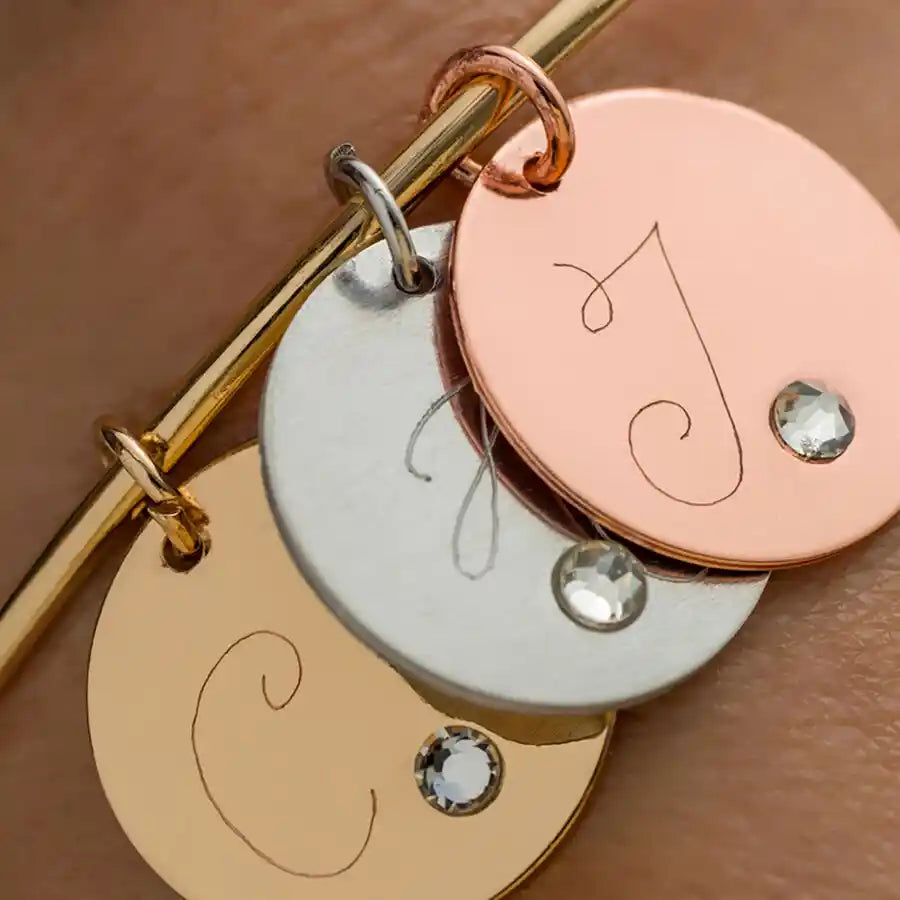
Cricut Maker Engraving Tip With Quickswap Housing
Couldn't load pickup availability
- Delivery time: 5-7 days
- Free shipping on all orders above ₹ 1,000
Description
Description
Make a lasting impression with Cricut Engraving Tip. To get professional-looking results, just snap this tip onto the QuickSwap Housing and tell your Cricut Maker to "Go!" Watch with awe as you write personalized text or create monograms, draw decorative flourishes and embellishments, or inscribe your favorite quotes on a keepsake. For an eye-catching effect, engrave Cricut Aluminum Sheets or anodized aluminum to reveal the silver beneath. For use with Cricut Maker machines.
Expand your collection of Cricut Maker® tools with a variety of QuickSwap tips. Just swap out Cricut Engraving Tip with any other QuickSwap tip, including Scoring Wheels, Debossing Tip, Perforation Blade, and Wavy Blade – with more on the way.
Note: Design Space® includes an engrave Linetype, with customized material settings.
Features
Features
- Engrave unique and permanent designs on a variety of materials
- For Cricut Maker® machines only
- Includes Engraving Tip and QuickSwap™ Housing
- Make intricately engraved dog tags (human or canine), name plates, inscribed art and decor, jewelry, monograms, and keepsakes
- Works with flat, soft metals, leather, acrylic, plastic, anodized or sublimated aluminum, and more
- Premium carbide steel
Compatibility
Compatibility
Cricut Maker3

FAQ
Which Cricut machine is right for me?
Cricut offers different machines with varying capabilities. Cricut Explore is a versatile option for a wide range of materials, while Cricut Maker provides unmatched material compatibility and advanced tools for intricate projects. Cricut Joy is ideal for quick and easy projects on the go.
Do I need design experience to use Cricut?
No! Cricut Design Space software is user-friendly and offers a comprehensive library of free and paid projects to get you started. You can start by uploading your own designs or browse countless options for cards, invitations, T-shirts, home decor, and more.
How do I cut designs with a Cricut machine?
Cricut Design Space software allows you to upload or choose a design, customize it, and send it to your machine for precise cutting.
Can I use other materials with my Cricut machine?
You may be able to use materials not specifically sold by Cricut, but it’s essential to check compatibility with your machine and ensure the material is safe for cutting.
How do I get help with my Cricut machine?
Cricut offers a comprehensive Help Center with articles, tutorials, and troubleshooting guides. You can also contact our customer support team for assistance.
Cricut Maker Engraving Tip With Quick...