


Cricut Explore™ 5
Couldn't load pickup availability
- Delivery time: 5-7 days
- Free shipping on all orders above ₹ 1,000
Description
Description
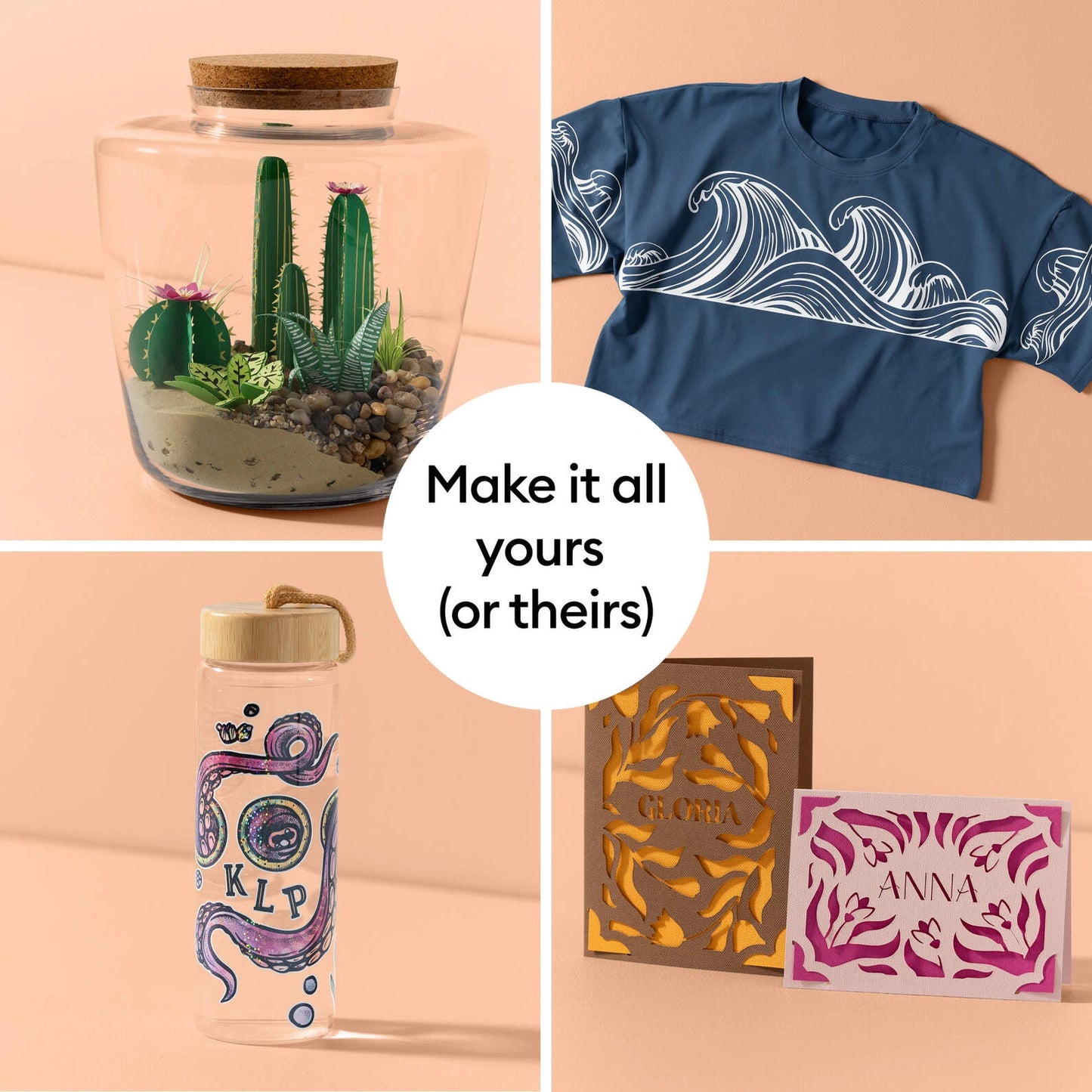
Make it one of a kind every time with Cricut Explore™ 5 – the sleek, simplified making experience you’ve been waiting for. The next generation of our 12-inch cutting machine precision-cuts at top-tier speeds and works with over 100 materials1 to help you create custom decals, personalized apparel, full-color stickers, cards, and so much more. You can even make in multiples!
Cricut Explore 5 comes with must-have crafting tools and an assortment of popular materials, so you can make up to 30 projects right out of the box.
Dimensions: 19.8 in x 7.5 in x 4.7 in (50.2 cm x 19.05 cm x 11.9 cm)
Weight: 10 lbs (4.5 kg)
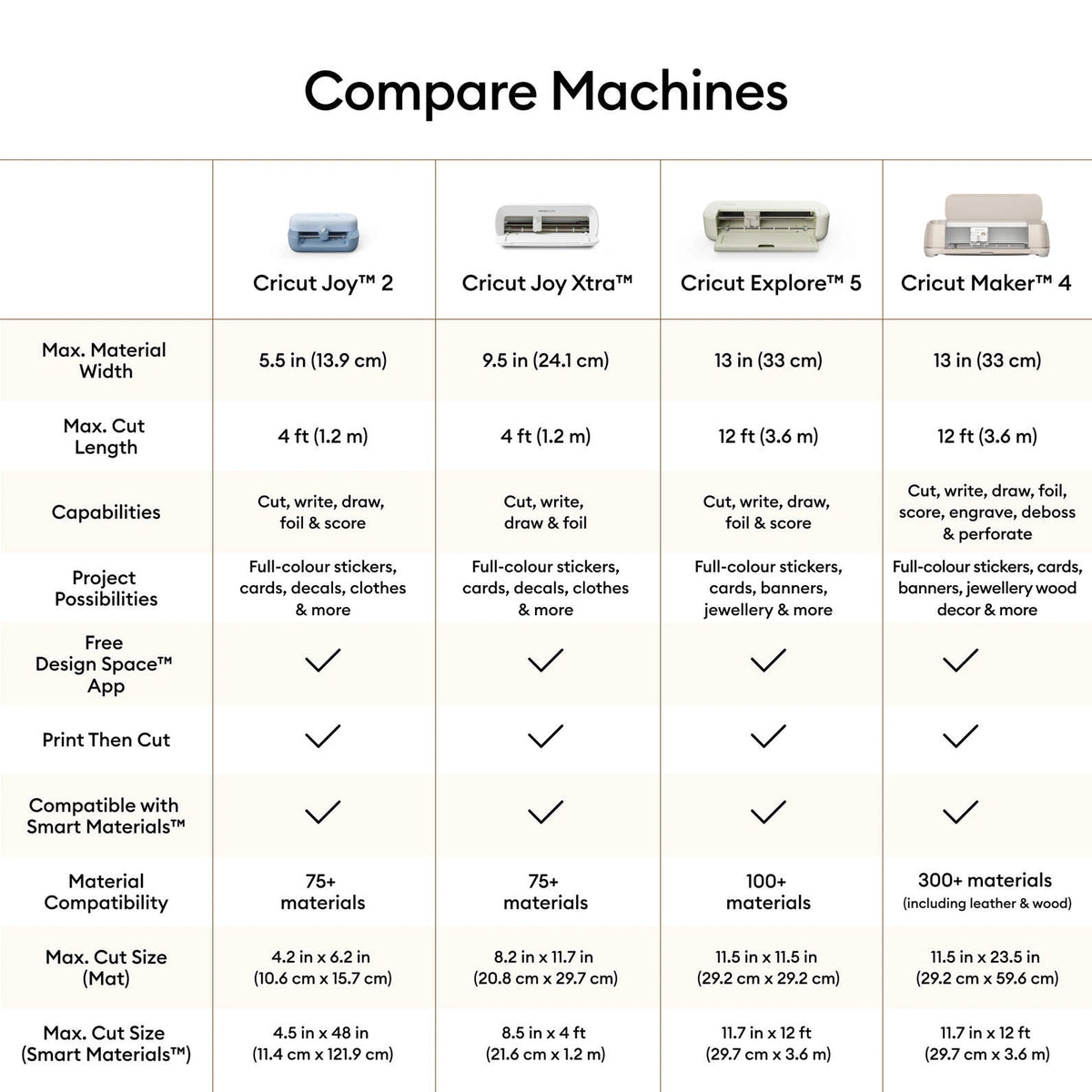
Max cut size using machine mat (small): 11.5 in x 11.5 in (29.2 cm x 29.2 cm)
Max cut size using machine mat (large): 11.5 x 23.5 (29.2 cm x 59.6 cm)
Max cut size using Smart Materials: 12 in x 12 ft (30.5 cm x 3.6 m)
Cut speed: 14.1 IPS
Features
Features
- 12 in (30.5 cm) Cutting Machine: Cricut Explore 5 is the newest generation of our Cricut Explore machines — perfect for making a variety of projects like custom decals, personalised apparel, full-colour stickers, cards, and so much more. You can even make in multiples!
- Sleek, Modern Design: 30% more compact than previous models, Cricut Explore 5 features an aesthetic new look and simplified interface for a more intuitive experience – all with the same dependable 12 in (30.5 cm) cutting performance. Available in a brand-new Taupe colour.
- Compatibility: Precision-cuts 100+ popular materials, including vinyl, iron-on, cardstock & printable materials,1 plus this machine writes, draws, foils, scores & cuts intricate designs with precision.3 Works with six tools, including Deep Cutting Tool (sold separately) for working with thicker materials like foam & rubber. Plus, it features a new hassle-free snap-in pen holder.
- Full-colour Possibilities: Print your design with your home inkjet printer, then your Cricut cutting machine automatically recognises & precision-cuts around inkjet-printed images to create full-colour stickers, decals, apparel & more.
- No Design Experience Required: Use your mobile or desktop device4 and connect through Bluetooth® to Design Space™, our free, easy-to-use app that helps you turn your ideas into something one of a kind. With step-by-step design flows, customisable templates, AI-image generation,5 and a huge content library, it makes personalisation feel effortless. Our free out-of-the box content library includes 3,000+ images, 100+ fonts, and 1,000+ projects to help get you started. Additional content can always be purchased a la carte, or go all in with a Cricut Access™ Subscription to unlock our ever-growing library for a small reoccurring monthly or annual fee.5
- Create with over 1.5 million images: Our ever-growing content library includes a total of 1,500,000+ images, 1,000+ fonts, and 100,000+ projects, and it's all yours with a Cricut Access Subscription.5
- Helpful Resources: We’ve made your crafting journey easier with how-to videos, step-by-step instructions, cheat sheets, an engaged community, and our Member Care team of experts available worldwide.
Specifications
Specifications
- Cricut Explore 5 machine in Taupe
- Premium Fine Point Cutting Tool6 Scoring Tool
- Dual-Sided Marker (0.4 mm & 1.0 mm) in Black
- Light Grip Machine Mat, 12 in x 12 in (30.5 cm x 30.5 cm)
- Welcome card USB cable Power adapter
- Free trial subscription to Cricut Access™ (for new customers)
- Materials for a practice cut
Bundled with:
- Mini Weeder Paper Ruler, 9 in (22.9 cm)
- Smart Iron-On™, 2 sheets 9.5 in x 13 in (24 cm x 33 cm) in Gold Smart Vinyl™, 3 sheets 9.5 in x 13 in (24 cm x 33 cm) in Black
- Transfer Tape, 3 sheets 9.5 in x 13 in (24 cm x 33 cm)
- Value Cardstock, 3 sheets 8.5 in x 11 in (21 cm x 27.9 cm) in White
- Value Cardstock, 2 sheets 8.5 in x 11 in (21 cm x 27.9 cm) in Red
Share:




FAQ
Which Cricut machine is right for me?
Cricut offers different machines with varying capabilities. Cricut Explore is a versatile option for a wide range of materials, while Cricut Maker provides unmatched material compatibility and advanced tools for intricate projects. Cricut Joy is ideal for quick and easy projects on the go.
Do I need design experience to use Cricut?
No! Cricut Design Space software is user-friendly and offers a comprehensive library of free and paid projects to get you started. You can start by uploading your own designs or browse countless options for cards, invitations, T-shirts, home decor, and more.
How do I cut designs with a Cricut machine?
Cricut Design Space software allows you to upload or choose a design, customize it, and send it to your machine for precise cutting.
Can I use other materials with my Cricut machine?
You may be able to use materials not specifically sold by Cricut, but it’s essential to check compatibility with your machine and ensure the material is safe for cutting.
How do I get help with my Cricut machine?
Cricut offers a comprehensive Help Center with articles, tutorials, and troubleshooting guides. You can also contact our customer support team for assistance.

Cricut Explore™ 5