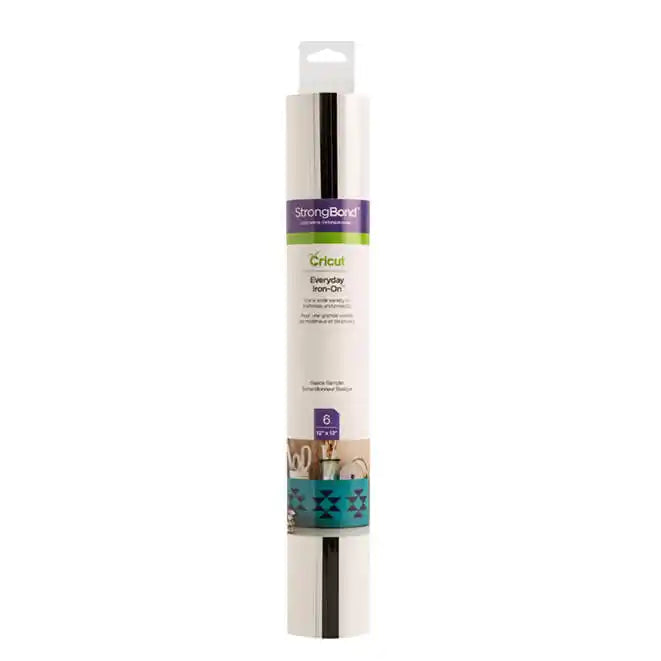
Everyday Iron-On™ Sampler - Basics
Couldn't load pickup availability
- Delivery time: 5-7 days
- Free shipping on all orders above ₹ 1,000
Description
Description
These two basics always make bold statements. Outlasts 50+ washes!* Everyday Iron-On with StrongBond™ Guarantee works fabulously with the widest variety of base materials, including wood! Intricate designs are simple to cut with your Cricut machine, and you’ll weed with ease to prep for flawless application. Make a T-shirt with an inspirational quote, design heartwarming home decor, embellish accessories with one-of-a-kind designs, and create handmade gifts that will leave a lasting impression. Use one color or layer up to three for standout patterns and projects. For use with all Cricut® cutting machines. For a flawless iron-on application, use Cricut EasyPress™. Or apply with household iron.
- Care Instructions
- Allow 24 hours after application before washing.
- Wash and tumble dry inside out.
- Do not bleach.
- If you need to iron, only iron on the backside of the garment.
Features
Features
- 6 sheets 12” x 12” (30.5 cm x 30.5 cm) in Black and White (3 of each color)
- Excellent results on the widest variety of materials and projects
- Outlasts 50+ washes!*
- Cuts beautifully and weeds easily
- Layer up to 3 colors for standout patterns and projects
Compatibility
Compatibility
Cricut Maker
Cricut Explore Machines

FAQ
Which Cricut machine is right for me?
Cricut offers different machines with varying capabilities. Cricut Explore is a versatile option for a wide range of materials, while Cricut Maker provides unmatched material compatibility and advanced tools for intricate projects. Cricut Joy is ideal for quick and easy projects on the go.
Do I need design experience to use Cricut?
No! Cricut Design Space software is user-friendly and offers a comprehensive library of free and paid projects to get you started. You can start by uploading your own designs or browse countless options for cards, invitations, T-shirts, home decor, and more.
How do I cut designs with a Cricut machine?
Cricut Design Space software allows you to upload or choose a design, customize it, and send it to your machine for precise cutting.
Can I use other materials with my Cricut machine?
You may be able to use materials not specifically sold by Cricut, but it’s essential to check compatibility with your machine and ensure the material is safe for cutting.
How do I get help with my Cricut machine?
Cricut offers a comprehensive Help Center with articles, tutorials, and troubleshooting guides. You can also contact our customer support team for assistance.
Everyday Iron-On™ Sampler - Basics