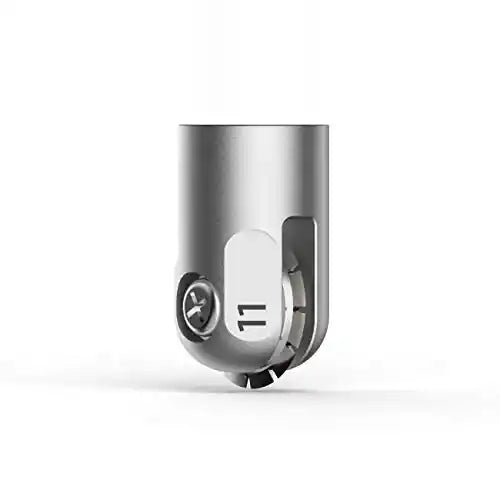
Perforation Blade, Basic
Couldn't load pickup availability
- Delivery time: 5-7 days
- Free shipping on all orders above ₹ 1,000
Description
Description
Add professional polish and elevated elegance to paper crafts. To create crisp, detailed debossed designs, just snap this tip onto the QuickSwap Housing and tell your Cricut Maker to "Go!" Unlike folders, which lock you into a specific design, this rolling debossing ball, with a wider range of motion, gives you free reign to customize, personalize, and design with incredible intricacy. Make a dimensional wedding card, thank you card with your monogram, or add flourish to gift boxes, tags, and more. Creates a stunning effect on foil cardstock, coated paper, shimmer and glitter paper, foil cardstock, and much more. For use with Cricut Maker machines.
Expand your collection of Cricut Maker tools with a variety of QuickSwap tips. Just swap out Fine Debossing Tip with any other QuickSwap tip, including Engraving Tip, Wavy Blade, Scoring Wheels, and Perforation Blade – with more on the way.
Features
Features
- Customize projects with crisp, detailed, pro-level debossed designs – no folders necessary!
- For Cricut Maker® machines only
- Includes QuickSwap™ Housing
- Deboss any design you'd like, including decorative flourishes, patterns, monograms, logos, seals, and more
- Perfect for cardstock, foil poster board, foil cardstock, foil kraft board, poster board, kraft board, and more
- Ceramic roller ball
- For more info, visit help.cricut.com/deboss
Compatibility
Compatibility
Cricut Maker 3

FAQ
Which Cricut machine is right for me?
Cricut offers different machines with varying capabilities. Cricut Explore is a versatile option for a wide range of materials, while Cricut Maker provides unmatched material compatibility and advanced tools for intricate projects. Cricut Joy is ideal for quick and easy projects on the go.
Do I need design experience to use Cricut?
No! Cricut Design Space software is user-friendly and offers a comprehensive library of free and paid projects to get you started. You can start by uploading your own designs or browse countless options for cards, invitations, T-shirts, home decor, and more.
How do I cut designs with a Cricut machine?
Cricut Design Space software allows you to upload or choose a design, customize it, and send it to your machine for precise cutting.
Can I use other materials with my Cricut machine?
You may be able to use materials not specifically sold by Cricut, but it’s essential to check compatibility with your machine and ensure the material is safe for cutting.
How do I get help with my Cricut machine?
Cricut offers a comprehensive Help Center with articles, tutorials, and troubleshooting guides. You can also contact our customer support team for assistance.
Perforation Blade, Basic